URP vs HDRP in 2026: Which Unity Render Pipeline Should You Actually Pick?
You start a new Unity project, the template picker pops up, and there it is: URP, HDRP, or the old Built-in pipeline. Pick wrong and you find out months later when your shaders go magenta, your lighting looks flat, or you realize the thing you built for mobile will never run at 60 on a phone. For years this was a genuinely confusing call. As of 2026 it got a lot simpler, and most of you should stop agonizing over it.
The short answer for 2026
Start new projects in URP. That is it for the vast majority of games. Unity has formally committed to making the Universal Render Pipeline the default path for every genre on every platform, and it is putting almost all of its rendering effort there. HDRP is now a maintenance pipeline aimed at high-end PC and console projects that genuinely need photoreal visuals. The Built-in pipeline is on its way out and should not be the foundation of anything new.
If you are not sure which one you need, that uncertainty is your answer. You need URP.
What actually changed
In its render pipelines strategy for 2026, Unity laid out three moves that matter to you. First, URP is getting the heavy investment: faster builds, better stability, and a real run at high-end lighting features that used to be HDRP-only. The roadmap includes physical light units, auto and pre exposure, a physical sky and dynamic sky manager, real-time global illumination, and screen space reflections, plus on-tile post-processing tuned for mobile. The point is that URP is closing the visual gap while staying scalable, so the fancy stuff does not wreck your build size or frame rate when you do not use it.
Second, HDRP is in maintenance. Unity stated plainly that no new features are planned for it. The team is focused on stability and one big addition: bringing HDRP to Nintendo Switch 2, shipping for enrolled Nintendo developers in Unity 6.5. HDRP is still gorgeous and still powers games like V Rising and Harold Halibut, but you are building on a pipeline that is being kept steady, not pushed forward.
Third, the Built-in Render Pipeline is being officially deprecated starting in Unity 6.5. It will stick around at least through the Unity 6.7 LTS release (due at the end of this year), with support running at least until the end of 2028, and 2029 on Enterprise or Industry licenses. So your existing Built-in live game is not going to break tomorrow. But Unity is openly steering Asset Store content and education material toward URP, which means over time the ecosystem around Built-in dries up.
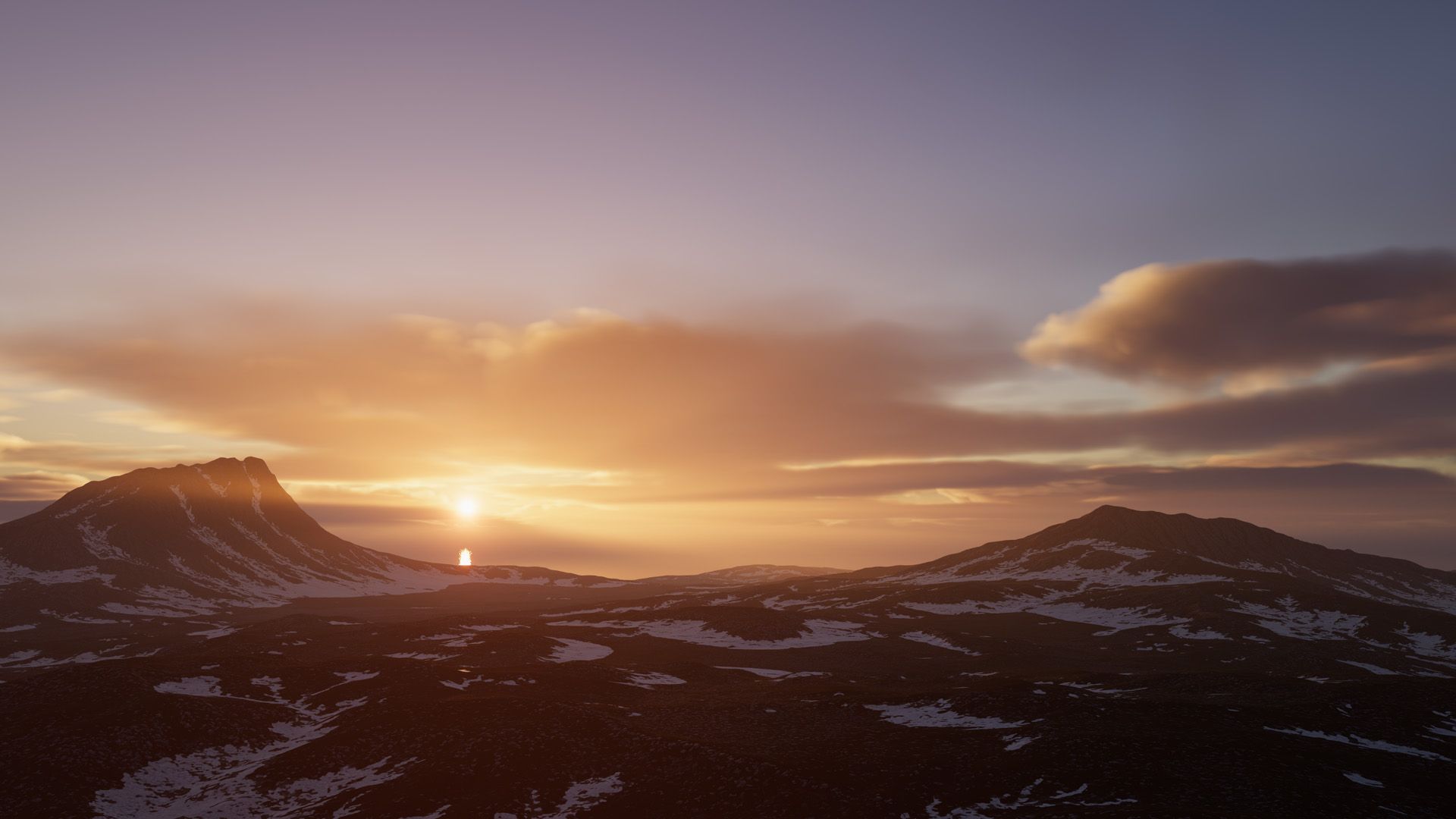
HDRP volumetric clouds and physical sky. Credit: Unity HDRP feature page.
Pick URP if
- You are targeting mobile, web, Switch, or want one project to scale from phone to console and PC.
- You are a solo dev or small team and want shorter build times and fewer rendering rabbit holes.
- You are doing 2D, stylized 3D, or anything that does not live or die on photoreal lighting.
- You are not certain what you need. URP is the safe default and it is where the new features are landing.
Pick HDRP if
- You are building for high-end PC and current consoles only, and photoreal fidelity is the actual selling point.
- You need things like path tracing, advanced subsurface scattering, or film-grade cinematics out of the box.
- You are shipping to Nintendo Switch 2 and want to reuse an HDRP project, since that support is the one area HDRP is actively gaining.
- You have the GPU budget and the team to babysit the extra complexity. HDRP will happily eat your frame rate if you let it.
One honest caveat: because HDRP is frozen on features, anything new and shiny in Unity rendering is going to show up in URP first from here on. If your project has a long tail and you want it to ride future improvements, that is a point in URP's favor even for good-looking games.
What about the Built-in pipeline
Do not start anything new on it. The only reason to touch Built-in in 2026 is an existing live game, an old tutorial, or an asset that has not been ported yet. Plenty of older Asset Store packages are still Built-in only, and that is one of the real friction points when you commit to URP early. If a pack you want only ships Built-in shaders, you will be doing material conversion work, and some effects will not survive the trip cleanly. Worth checking before you buy.
Switching later is not free
People love to say "just start in Built-in and convert later." It is rarely that smooth. Moving from Built-in to URP means re-doing materials, often re-authoring custom shaders, and rechecking your post-processing and lighting setup. Going between URP and HDRP is worse, because their volume systems, lighting models, and shaders differ enough that you are effectively re-lighting the game. The conversion tools help with the bulk material swap, but they do not do the art-direction part. Decide early, and if you genuinely cannot, default to URP so the eventual switch (if it ever comes) is the smaller one.
Bottom line
For 2026, treat URP as the default and HDRP as the specialist tool you reach for only when photoreal high-end visuals are the whole point. Skip Built-in for new work. This is less of an agonizing architecture decision than it used to be, which frees you up to spend that energy on the part that actually ships games: content, feel, and performance. If you want to go deeper on the engine choice itself, our breakdown of Unity vs Unreal vs Godot for beginners covers the bigger picture, and once you have picked a pipeline, our guide to optimizing your Unity game for better performance will help you keep the frame rate honest. And when you go hunting for assets, check whether they support your render pipeline before you buy. On DevLoot that compatibility info is part of how we think listings should work, so you spend less time fixing magenta materials and more time building.