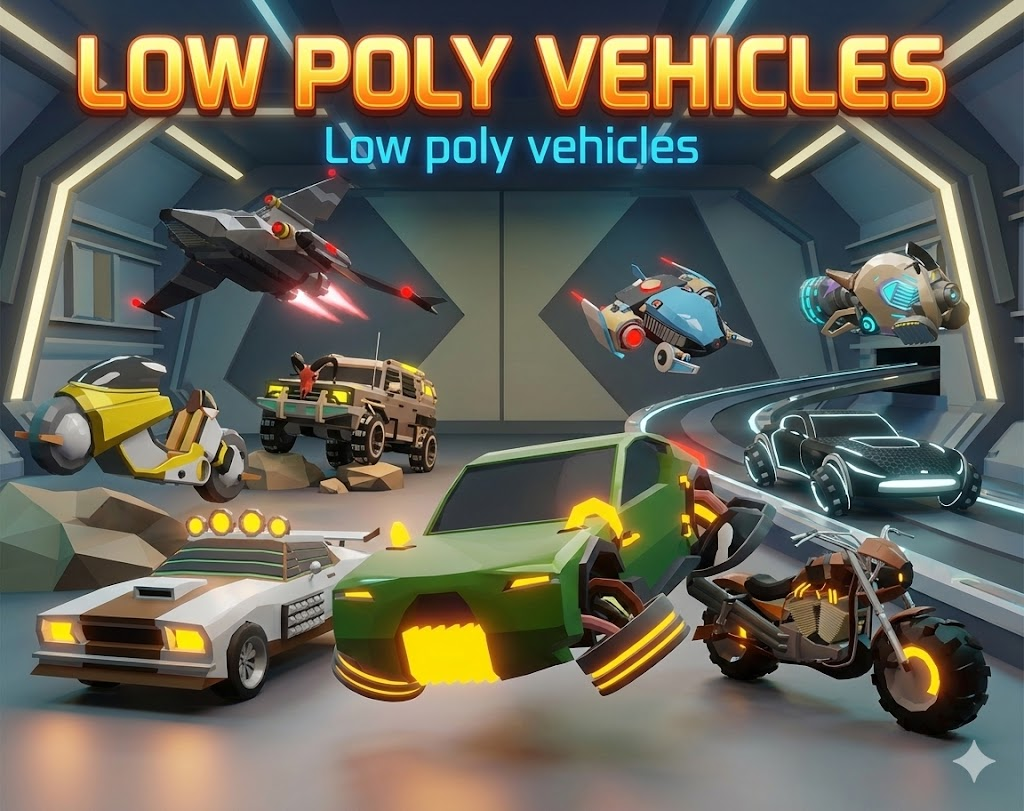
Low Poly Sci-Fi Vehicle Pack: How to Fill a Futuristic World With Hovercars, Bikes and Ships
You can spot the moment a sci-fi project runs out of art budget. The skyline is great. The neon signs are great. The main character has a jacket with more polygons than the building behind them. And then you look at the road and there is nothing on it. No traffic, no parked cars, no ship sitting on the landing pad. The city reads like a museum after closing time.
Vehicles are the thing almost every futuristic game needs and almost nobody wants to model. This post is about why that gap shows up so often, what it costs you, and a cheap way to close it with a low poly sci-fi vehicle pack that I think is a sensible buy for small teams.
Why vehicles are the asset everyone postpones
Hard surface modeling is slow. A character artist can hide a lot under cloth and hair. A vehicle has nowhere to hide. Every panel line, wheel arch and canopy has to hold up from every angle, because players orbit vehicles in a way they never orbit a crate. If your game lets people drive, ride or fly the thing, the camera sits right behind it for hours.
So a single decent vehicle can eat two or three days of work once you count blockout, cleanup, UVs and materials. That is fine if your game has one hero ship. It falls apart the second you need variety, and you always need variety:
- Traffic. Three copies of the same car in a row looks like a bug. You want at least five or six body shapes before repetition stops being obvious.
- Set dressing. Parking lots, hangars, garages and docks all need things parked in them.
- Progression. If players unlock or buy rides, each tier has to look different at a glance.
- Enemies and NPCs. A patrol bike, a cargo hauler and a pursuit car should not share a silhouette.
Multiply three days by a dozen vehicles and you have burned over a month on something that is not your core mechanic. That is the real problem. It is a scheduling problem dressed up as an art problem.
Silhouette matters more than detail
Here is the part that took me too long to learn. For traffic and background vehicles, detail is nearly worthless. What the player reads is shape and light. A chunky truck, a low wedge of a sports car and a long bike are three different objects at 60 meters, even if each one is a few hundred triangles. Three highly detailed sedans are one object at the same distance.
For background vehicles, detail is nearly worthless. What the player reads is shape and light.
This is why stylized, low poly vehicles work so well in sci-fi. The genre already leans on strong outlines and glowing trim. An emissive strip along a body line does more for readability at night than any normal map, and it costs you almost nothing at runtime. If you want the longer version of that argument, we went through the trade-offs in low poly vs realistic assets.
It also helps performance in exactly the scenes where you need it. Traffic means lots of instances on screen at once. Simple meshes with shared materials are much kinder to your frame time than a fleet of hero-quality cars.
A shortcut: the Sci-Fi Vehicle Pack on DevLoot
The Sci-Fi Vehicle Pack (16 Vehicles) from Rutz Studios is built around the idea above. It is a set of 16 stylized vehicles with bold shapes and emissive accents, and it costs $4.99. The whole pack is priced below what an hour of a freelance modeler's time would run you.
What I like is the spread. It is not 16 recolors of one car. According to the listing, the mix covers:
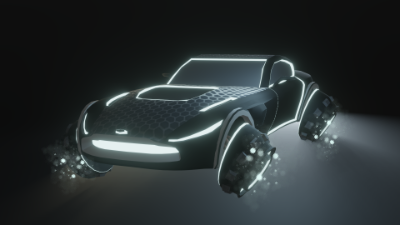
- A luxury hover sports car with a clean neon outline (the black one above, which looks like it drove out of a light cycle arena)
- Hover SUV and utility rides with heavier, chunkier bodies
- Futuristic shuttles and small ships in several designs and variants
- Compact speeders with an anti-grav feel
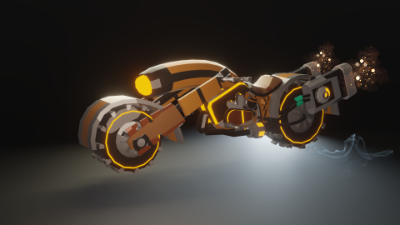
- Superbike and hoverbike style rides
- Rugged trucks and survival-style vehicles with roof lights and bull bars
That range is the useful bit. You get clean corporate future and dusty wasteland future in the same art style, so a shiny downtown district and a scrapyard on the edge of the map can both be dressed from one purchase without the look drifting.
Where a pack like this earns its keep
Prototypes and game jams
If you are testing a hover racing idea or a delivery mission loop, you need something to drive today, and a grey capsule does not tell you whether the game feels good. A real vehicle mesh changes how you judge speed, camera distance and turning. Dropping in finished models on day one means your playtest feedback is about the game and not about the placeholder.
NPC traffic and world dressing
This is the obvious one. Sixteen distinct shapes is plenty to build a traffic pool that does not visibly repeat, with enough left over to park along streets and inside hangars. Mix ground cars, bikes and a ship or two overhead and a flat scene gets depth for free.
Garage and unlock systems
Progression needs clear visual tiers. A beat-up survival car, a utility hover SUV and a neon sports car are an instant starter, mid and endgame ladder. Players can tell what they are working toward from a thumbnail.
Mobile and stylized projects
Low poly meshes with glowing accents are a good fit for phones and for any project that already uses a stylized look. If your cast is stylized too, the pack sits well next to character sets like the ones in our piece on modular NPC variety with the Modular Martians pack.
Honest caveats before you buy
A few things worth saying plainly, because no asset pack is magic.
- These are models, not a driving system. You still bring your own vehicle controller, hover physics or flight code. The pack gives you what the player looks at.
- The style is specific. It is stylized low poly with neon trim. If your game is gritty and photoreal, these will look out of place and you should skip it.
- Plan your own emissive setup. Glowing accents only really sing with bloom in your post-processing. Budget ten minutes to tune that, and the vehicles will look a lot closer to the store renders.
- Check the listing for the technical details you care about. If your project depends on a particular file format, separated wheels or a triangle budget, read the product page and the file contents before you design around it.
A quick way to get them into a scene
If you pick it up, here is the order I would work in so you see results in one sitting:
- Import the pack and drag every vehicle into an empty scene in a row. Look at them from your actual gameplay camera distance, not up close.
- Turn on bloom and set a dark environment. Emissive trim needs contrast to read.
- Sort the 16 into roles: two or three hero rides, a traffic pool, and a few static props.
- Make a prefab per vehicle with a simple box or convex collider, so traffic and parked cars are ready to place.
- Scatter the static ones first. A populated street tells you more about your level than any amount of grey boxes.
Who should grab it
Solo devs and small teams making anything futuristic: racing, open world, space hubs, sci-fi RPGs, arcade combat. Also level designers who need a scene to feel lived in before the art pass, and jam teams who cannot spend a weekend on hard surface work. If vehicles are the star of your game and you have a dedicated vehicle artist, you probably want custom hero models, though even then a cheap pool of background traffic saves that artist for the work that matters.
For five dollars, the math is easy. One afternoon of not modeling a hover truck pays for it several times over.
Ready to put something on those empty roads? Take a look at the Sci-Fi Vehicle Pack with 16 hovercars, bikes and ships on DevLoot and see the full set of renders on the product page.