Stop Hand-Building Rooms in Unity: Generate Modular Room Prefabs Instead
You know the feeling. You open a fresh Unity scene to prototype a level, and forty minutes later you are still dragging cubes around, scaling walls by eye, and wondering why the doorway is 3.2 units wide on one side and 3.0 on the other. Interior spaces are the quiet time sink of game development. Everyone wants a believable building, nobody wants to spend a weekend measuring it.
This post is about that problem, why the usual fixes fall short, and one free tool that takes a different approach to it.
Why building rooms by hand keeps hurting
A single room looks trivial. Four walls, a floor, a ceiling, a door. But the moment you need ten of them that connect, the pain shows up in a few predictable places.
- Inconsistent dimensions. Hand-placed walls drift. A gap of a few centimeters is invisible in the editor and glaring when a character's collider snags on it.
- Openings that do not line up. Doors, windows, and stairs need to match between neighboring rooms. Fix one and you break its neighbor.
- Iteration cost. Want the office two meters wider? That means re-seating every wall, window, and prop inside it.
- Nothing repeatable. Whatever you built lives in one scene. The next project starts from zero again.
Most of us cope with greyboxing first and polish later. If you have not read it yet, our level blockout and greyboxing guide covers why that workflow is worth it. The catch is that a greybox is throwaway by design. You still end up rebuilding the real thing afterward.
The best level tool is the one that lets you change your mind cheaply. If resizing a room costs an hour, you will stop experimenting with room sizes.
The usual workarounds, and where they break
There are three common escape routes. ProBuilder is great for custom geometry but it is still manual, one shape at a time. Buying a full modular kit gives you pretty pieces, but you snap them together by hand and the kit decides your grid. Writing your own procedural generator works, until you are maintaining a tool instead of making a game.
What most solo devs and small teams actually want sits in the middle: describe a room, get a clean prefab, and tweak it without starting over.
A room generator that outputs ordinary prefabs
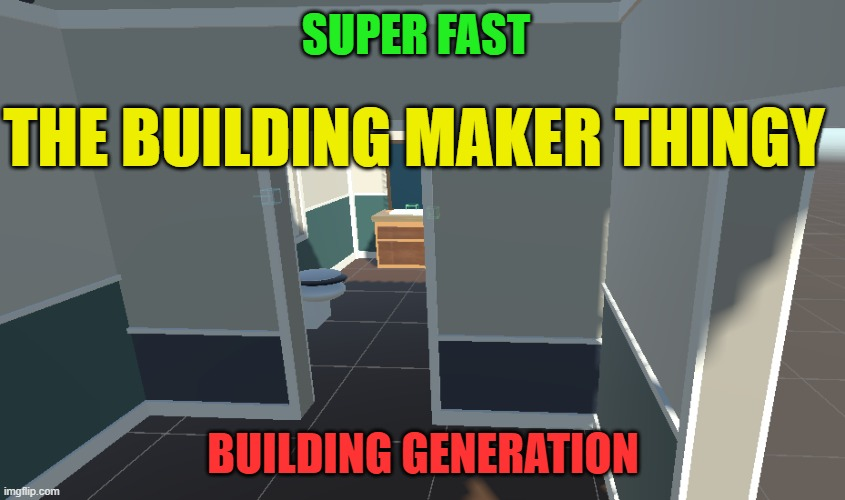
That middle ground is what the Modular Room Building Toolkit goes after. It is an editor-only Unity package for creating, connecting, furnishing, and baking modular rooms into plain prefab assets. Editor-only matters here. Nothing ships in your build as a runtime dependency. The generator does its work in the Editor, and what you keep is a normal prefab that goes through your usual asset pipeline.
What you control
According to the listing, the shells are resizeable and come with configurable openings, window styles, materials, roofs, stairs, and wall inserts. That covers most of the headaches from the list above. Change a room's footprint and the openings follow the rules you set instead of being hand-nudged back into place.
Furnishing without the busywork
Empty rooms are only half the job. The toolkit includes room presets with starter furniture, plus named decoration sockets for authoring. Sockets are the clever part. Instead of eyeballing where a lamp or a desk should sit, you work with named attachment points, so swapping props later does not mean re-measuring the room.
The scripting angle
Here is where it gets interesting for anyone building tools or experimenting with AI-assisted workflows. The package ships a versioned JSON specification with a validation and build API, and a Unity batch-mode command. In plain terms, you can describe a level in a JSON file and generate the prefab from the command line, without opening the Scene view at all. The creator calls out local AI agents and build tools as the intended users, and a furnished foyer-and-office JSON example is included so you are not guessing at the format.
Even if you never touch an agent, this is useful. A JSON file is diffable, reviewable, and easy to version in git. Try getting a clean diff out of a hand-edited scene.
Who should pick this up
- Solo devs prototyping interiors who want believable rooms fast, before art is final.
- Level designers who iterate on layouts and need cheap resizing.
- Tool-minded devs who like generating content from data and want a batch-mode entry point.
- Game jam teams where a connected, furnished building in an afternoon is a real advantage.
If you are building a large open world full of unique hand-sculpted interiors, this is not a replacement for a skilled environment artist. It is a starting point and a structure generator, and it is honest about that.
Things to know before you install
A few details from the listing worth stating plainly. It targets Unity 6, and the supplied sample materials expect a Universal Render Pipeline project. If you are still deciding on a pipeline, our URP vs HDRP comparison for 2026 will help. The package contains the Room Generator only, so the adobe, tunnel, and river systems mentioned in its notes are not included. It is currently marked alpha, so expect rough edges and treat it as something to try on a side project first.
The price is the easy part: it is free. The cost is just the time to read the included INSTRUCTIONS file and run the foyer-and-office example.
How I would try it
Install it in a throwaway URP project on Unity 6. Open the foyer-and-office example, generate the prefab, then change one number in the JSON and regenerate. That loop, edit a value and get a fresh room, is the whole pitch. If it feels faster than your current greybox routine, wire it into a real prototype. If not, you lost twenty minutes and gained a free reference for how a data-driven level pipeline can be structured.
Interiors will always take effort. They just should not take the same effort every single time.
Ready to stop measuring doorways? Grab the Modular Room Building Toolkit on DevLoot and generate your first room today.